01
FORMULA
Find the creative pattern.
Paste a video link. VideoFormula examines its hook, script, scenes, visuals, audio, pacing and CTA to build a reusable Formula.
Paste a video link. VideoFormula analyzes its creative choices, adapts them to your product, and creates a Production Guide with reference images for your AI video platform.
Start with a video you like. End with a guide for creating one tailored to your product or service.
Paste a video link. VideoFormula examines its hook, script, scenes, visuals, audio, pacing and CTA to build a reusable Formula.
Select your product or service. VideoFormula adapts the Formula into a scene-by-scene Blueprint for your own video.
Get a Production Guide and reference images to use on the AI video platform of your choice.
Create the guide in VideoFormula for WindowsVideoFormula studies the creative details you can use again, then gives you a structured starting point for your own video.
Hook & openingWhat stops the scroll and creates curiosity.
Structure & scenesHow the video moves from opening to payoff.
Visual strategyShot types, composition, overlays and pacing.
Audio & messagingVoiceover, music, timing, proof and CTA.
Format identificationThe repeatable creative pattern behind the content.
Curiosity-driven opening with immediate personal relevance.
In the Windows app, adapt a Formula to your product, generate scene and avatar reference images, then create a Production Guide for your AI video workflow. Take those assets to the platform you choose and make your video.
Keep your source videos and Formulas together, build Blueprints around your product, and prepare the visuals and instructions for your AI video tool.
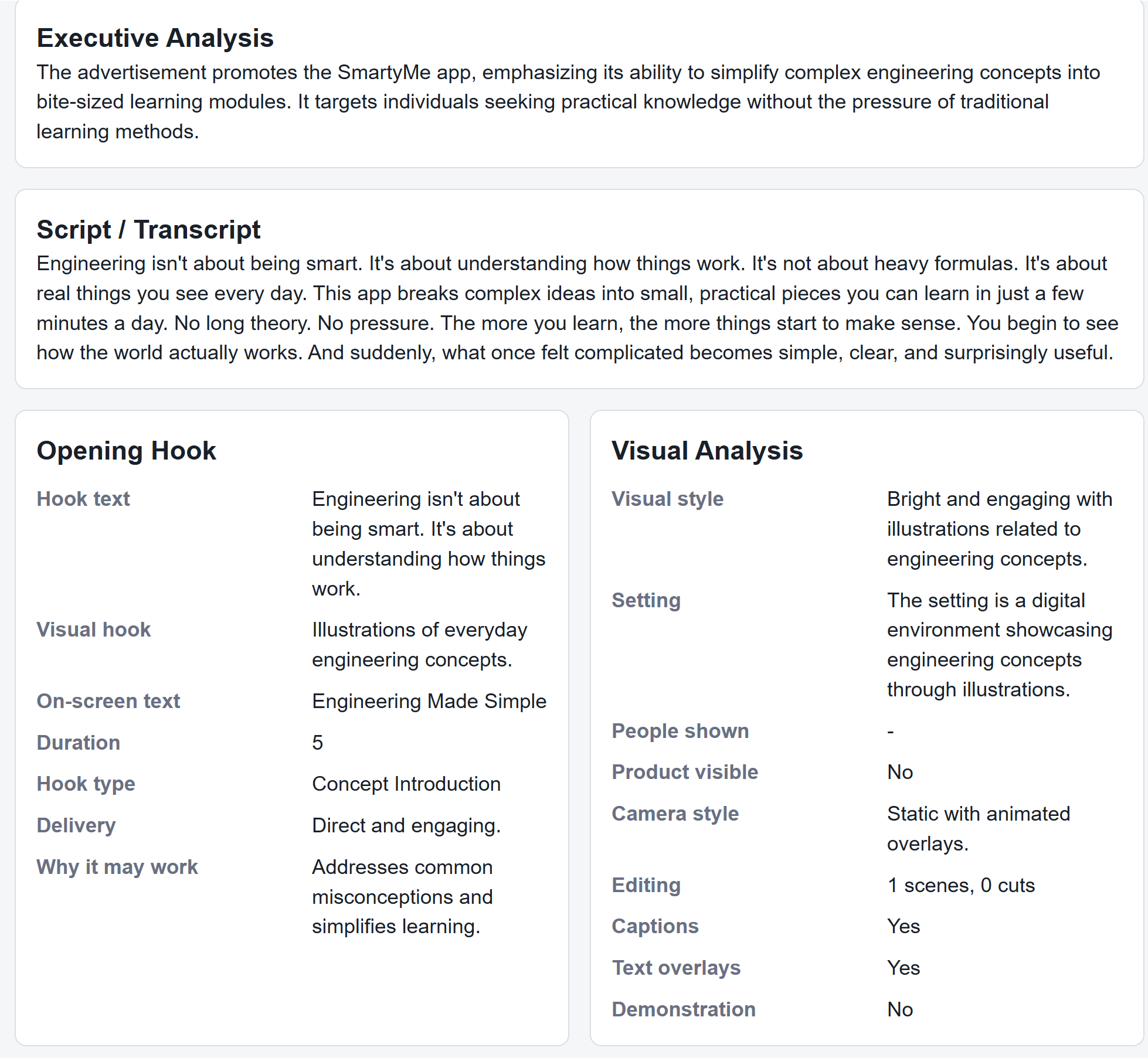
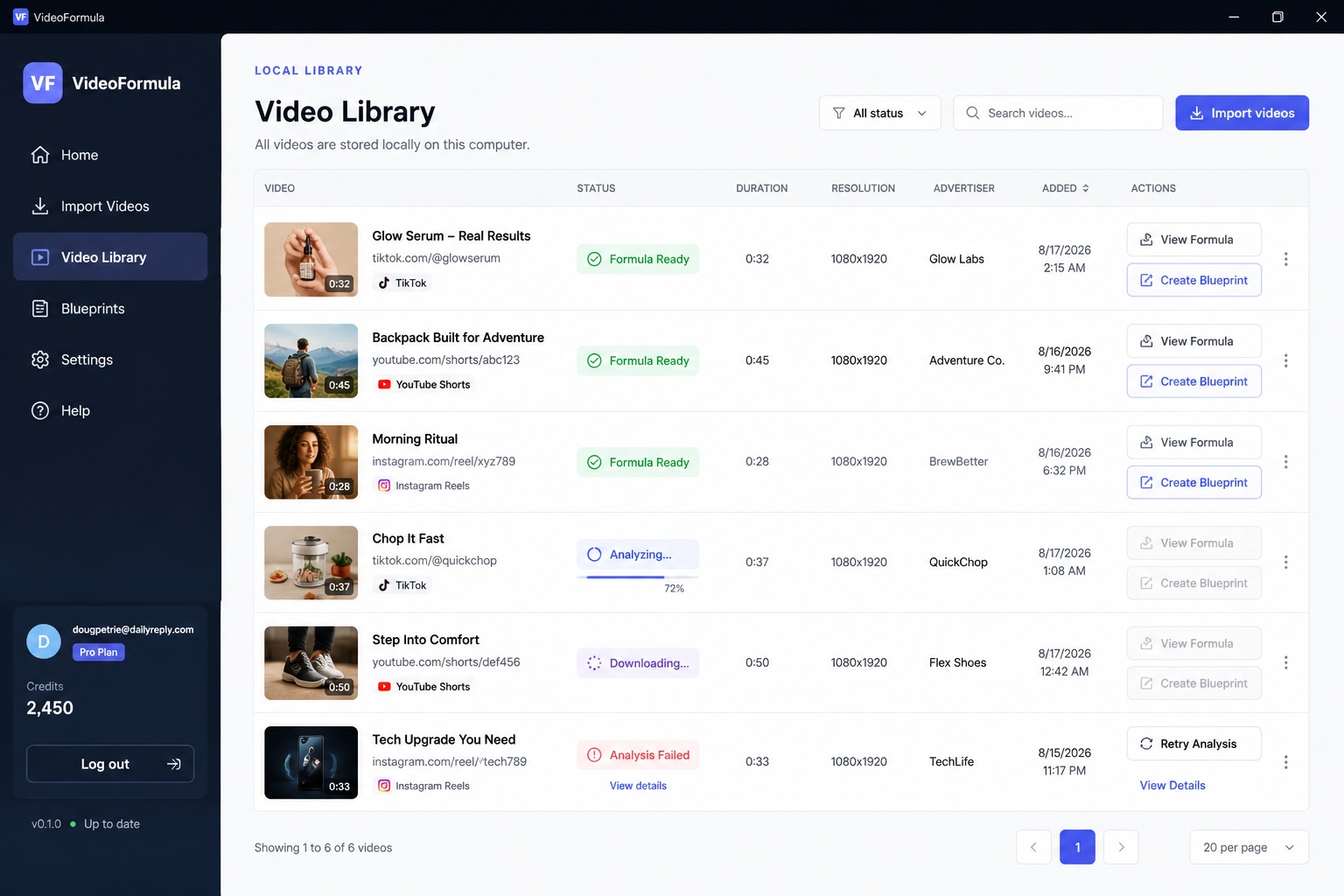
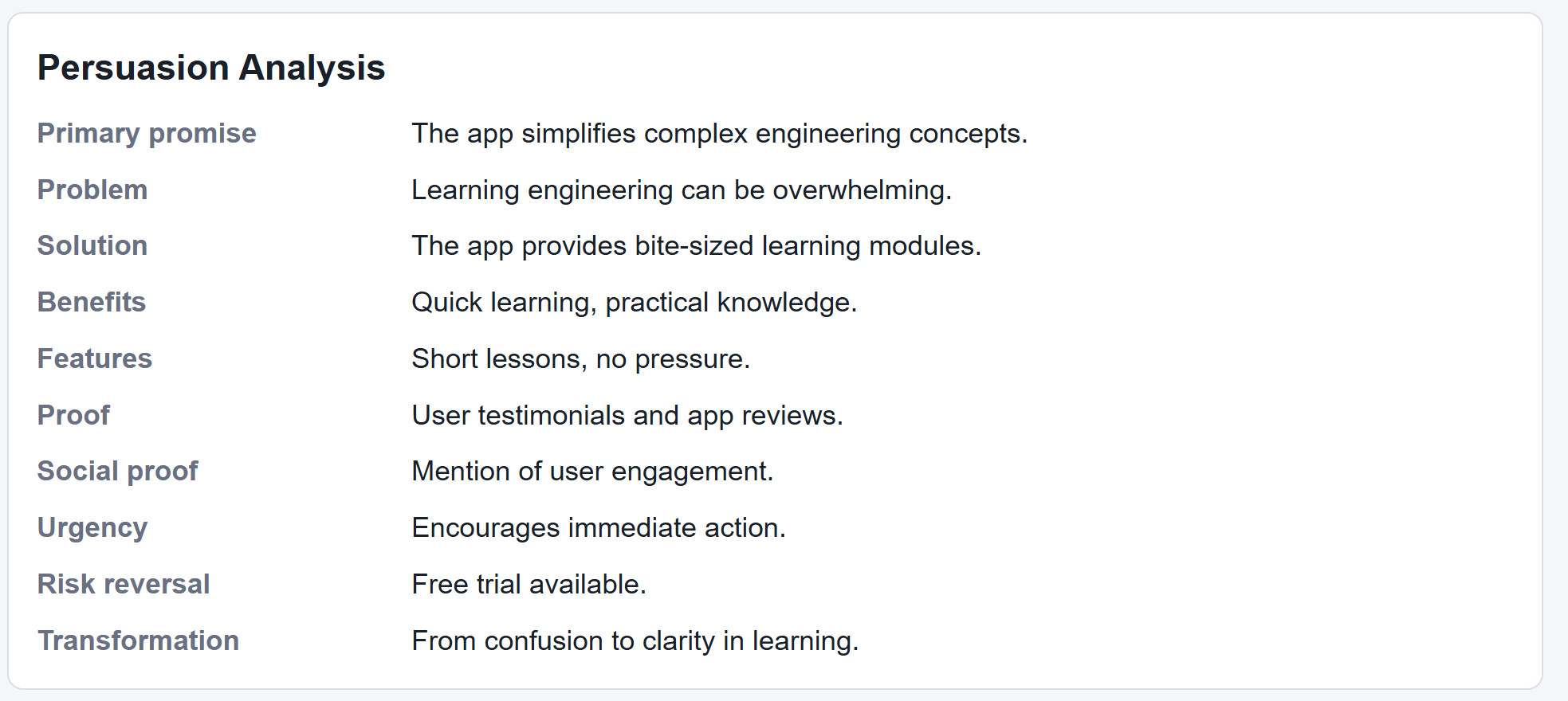
Start with a video link. Get a Formula, tailor it to your product, and use the Production Guide to make your own video.
VideoFormula breaks a video down into useful creative information such as the hook, structure, scenes, visuals, audio, pacing, messaging, CTA, format and other repeatable creative signals.
A Formula captures the source video's creative pattern across its hook, script, structure, visuals, audio, pacing and CTA. It becomes the starting point for a Blueprint tailored to your product or service.
No. Paste the supported video URL into VideoFormula. The goal is to let you analyze a video immediately after you find it without first figuring out how to download the source video yourself.
VideoFormula is being designed around links from major video platforms including YouTube, TikTok, Instagram and Facebook. Availability can depend on whether the source video is publicly accessible and supported.
An email verified VideoFormula account gets 2 free video analyses and 2 free blueprints. No credit card is required for those free analyses or blueprints.
The planned workflow uses the source media temporarily while creating the analysis. VideoFormula does not need to keep the downloaded source video as part of your Formula; the source URL and analysis can be retained instead.
The Windows app is where you analyze videos, save and compare Formulas, tailor a Blueprint to your product or service, generate reference images, and create a Production Guide for making your video.
A Blueprint applies the source video's Formula to your product or service. It maps out your own scenes, message and visuals before you generate your Production Guide.
It turns your Blueprint into instructions for making your video with an AI video platform. Use it with your reference images on the platform you choose to create the finished video.
VideoFormula prepares the Blueprint, reference images and Production Guide. You use them to generate the finished video with the AI video platform you choose.
Yes. VideoFormula is intended for video ads, organic social content, UGC, product demonstrations, creator content, service videos and other short-form video formats.
You can use the customer website and User Console on mobile. The full VideoFormula production workflow is currently designed for the Windows desktop app. On mobile, you can email yourself the Windows download link for later.
Paste a video URL to get started. Get 2 free analyses + 2 free Blueprints with a verified account.